Tag: Future of Work

  • Copilot Cowork to Prep for a Board Meeting Under Pressure

    Copilot Cowork to Prep for a Board Meeting Under Pressure

    How Executives Can Use Copilot Cowork When Board Prep Turns Into a Fire Drill

    A board meeting gets moved up by 48 hours.

    Now the executive needs the story fast.

    Finance has numbers. Operations has risks. Strategy has updates. AI transformation has progress, blockers, and governance questions. The deck is not ready. The briefing memo is not ready. The board will still expect clear answers.

    That is exactly the kind of pressure where Copilot Cowork starts to make sense.

    For this scenario, I used a fictional company called Kavora Industries. I stepped into the role of Chief Strategy Officer, and the ask was simple: prepare a board-ready package under pressure.

    The company is fictional. The work pattern is very real.

    Executive takeaway: Copilot Cowork is strongest when it helps leaders turn scattered business context into decision-ready artifacts.

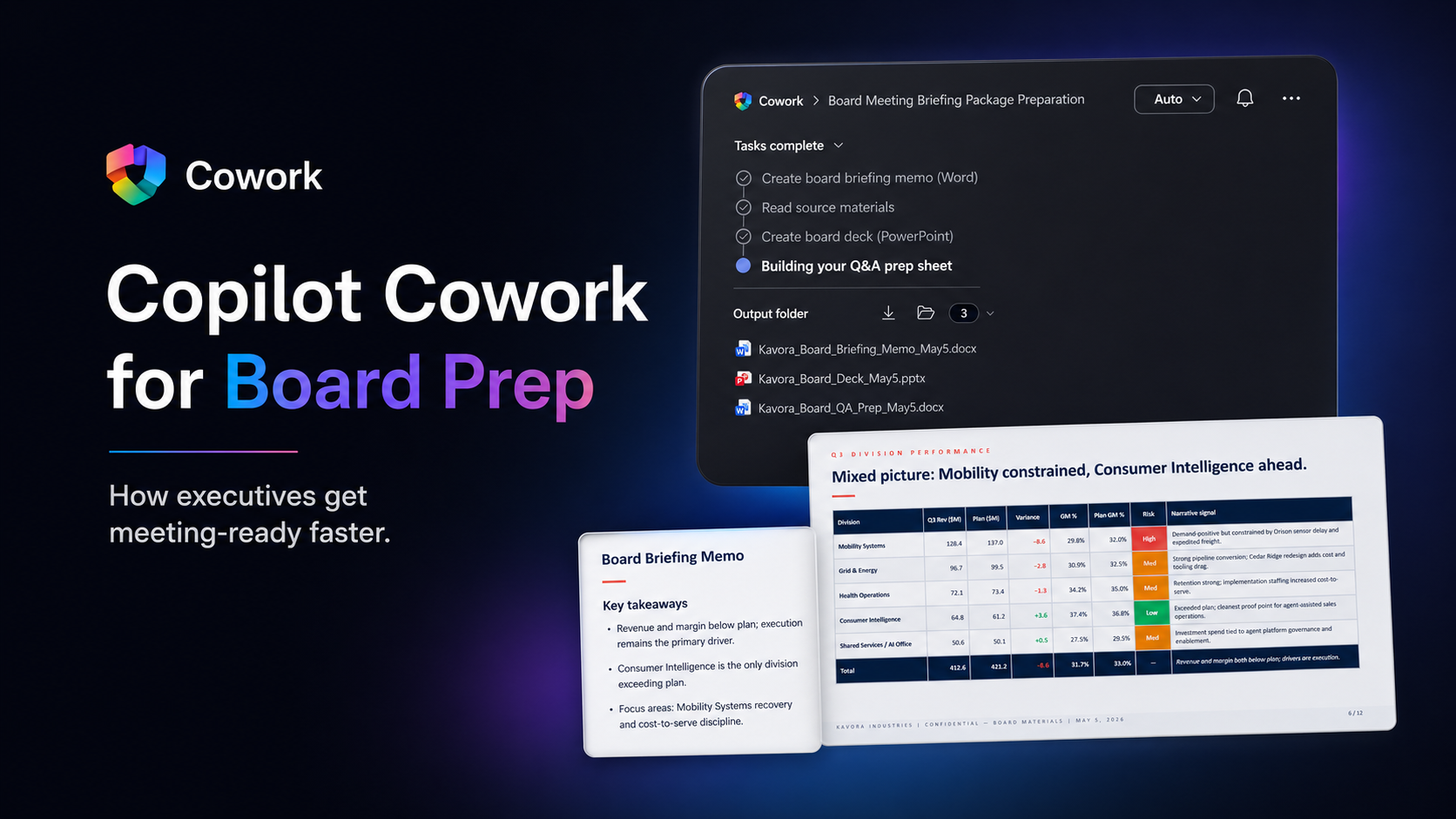
    Insert screenshot here: Cowork prompt asking for the board meeting briefing package.

    The Real Executive Problem

    Board prep is not just about creating a PowerPoint deck.

    The harder part is knowing what matters.

    What changed since the last update? Where are the risks? Which numbers are final and which are preliminary? What decisions does the board need to make? What questions are they likely to ask?

    That is where executive prep gets expensive.

    The information already exists, but it is spread across too many places:

    • Executive emails
    • Strategy notes
    • Finance workbooks
    • Leadership updates
    • AI transformation reports
    • Draft presentation content
    • Q&A notes

    An executive does not need another place to search. They need the scattered pieces pulled into one clean operating picture.

    The Cowork Approach

    I gave Copilot Cowork a focused executive task:

    Prepare for a board meeting that was moved up by 48 hours using the provided source material, then create the artifacts needed to walk into the meeting prepared.

    The Prompt

    The prompt followed a simple structure:

    Role:
    Act as my executive strategy assistant for Kavora Industries.
    Goal:
    Help me prepare for a board meeting that was moved up by 48 hours.
    Sources:
    Use the provided executive emails, strategy notes, finance workbook,
    AI transformation report, and leadership updates.
    Task:
    Create a board-ready briefing package that includes:
    1. Executive summary
    2. Key risks and decisions
    3. AI transformation progress
    4. Financial and operational issues
    5. Likely board questions
    6. Recommended talking points
    Outputs:
    - Create a Word briefing memo
    - a PowerPoint board deck
    - a Q&A prep sheet
    Guardrails:
    - Keep the tone executive-ready, concise, factual, and decision-focused.
    - Do not invent facts outside the source material.
    - Use Kavora branding when creating files.

    This is the part executives should pay attention to.

    The prompt is not asking Cowork for a generic answer. It assigns a job. It points Cowork at the source material. It defines the output. It adds guardrails. It asks for files the business can actually use.

    The move: Do not ask for a summary when the real need is a briefing package. Ask for the work product.

    Insert screenshot here: Cowork task progress showing the memo, deck, and Q&A prep sheet being created.

    What Copilot Cowork Created

    Cowork created three core board prep artifacts and packaged them into a reviewable executive workflow.

    1. Board Briefing Memo

    The briefing memo became the anchor document.

    It pulled the scattered business context into a single executive narrative: current state, key numbers, strategic signals, risks, and decisions needed.

    This matters because executives need more than information. They need the story behind the information.

    The memo made the situation easier to review, challenge, and sharpen before the board meeting.

    2. Board Deck

    Cowork also created the board deck.

    The deck organized the material into a board-level flow: performance, division signals, risks, AI transformation progress, and decisions requested from the board.

    The important part was not just that slides were created. The important part was that the slides were structured around the meeting the executive actually needed to lead.

    One slide showed division performance and risk signals. Another brought the board back to the required decisions.

    That is exactly what an executive needs. Less noise. Clearer framing. Decisions visible.

    3. Board Q&A Prep Sheet

    This was the strongest artifact in the workflow.

    Cowork created a Q&A prep sheet with likely board questions, direct answers, anchor phrases, and source references.

    That is real executive value.

    The board is going to ask sharper questions than the internal team. Preparing for those questions before the meeting changes how the executive shows up.

    Instead of walking in with slides only, the executive walks in with prepared answers.

    4. Executive Review Email

    I prompted Cowork to also prepare and send an email with the board packet attached.

    Work does not end when the file is created. The package still needs to move to the right people with the right context.

    The email summarized what was included, called out the wording discipline applied, and highlighted the decision priority order.

    That is a complete workflow: source material to artifacts to communication.

    The executive shift: Cowork gets the leader to the decision point faster, with better context and real artifacts already in motion.

    That is the agent boss pattern in practice.

    The human stays accountable. The agent does the heavy lifting around gathering, synthesis, drafting, formatting, and first-pass artifact creation.

    That is how an executive should think about Copilot Cowork.

    The Executive Workflow

    This board prep scenario follows a workflow executives can reuse:

    1. Define the pressure moment.
    2. Point Cowork at the right source material.
    3. Ask for decision-ready artifacts.
    4. Review the output like an executive.
    5. Tighten the narrative.
    6. Send the right package to the right people.

    That workflow applies beyond board meetings.

    You could use the same pattern for quarterly business reviews, operating reviews, customer escalations, strategy offsites, town halls, finance reviews, and AI transformation steering committees.

    The structure stays the same. Pressure, sources, task, outputs, guardrails, review.

    What I Like About This Scenario

    This scenario works because it feels like real executive pressure.

    No gimmick. No fake magic. No perfect blank-page setup.

    Just a leader with scattered information, limited time, and a meeting that requires clear judgment.

    That is where AI at work becomes useful.

    Not when it sounds impressive in a chat window. When it produces the memo, the deck, the Q&A sheet, and the email that move the work forward.

    Best use case: Use Copilot Cowork to reduce the cost of preparation, then spend your human time on judgment.

    Final Thought

    Executives do not need AI that only sounds smart.

    They need AI that helps them get ready.

    That means finding the signal, organizing the story, creating the artifacts, and helping the leader walk into the room prepared.

    This is where Copilot Cowork gets practical.

    Board prep under pressure is not a productivity trick. It is a clear example of how executives can start working differently with AI agents inside the flow of work.

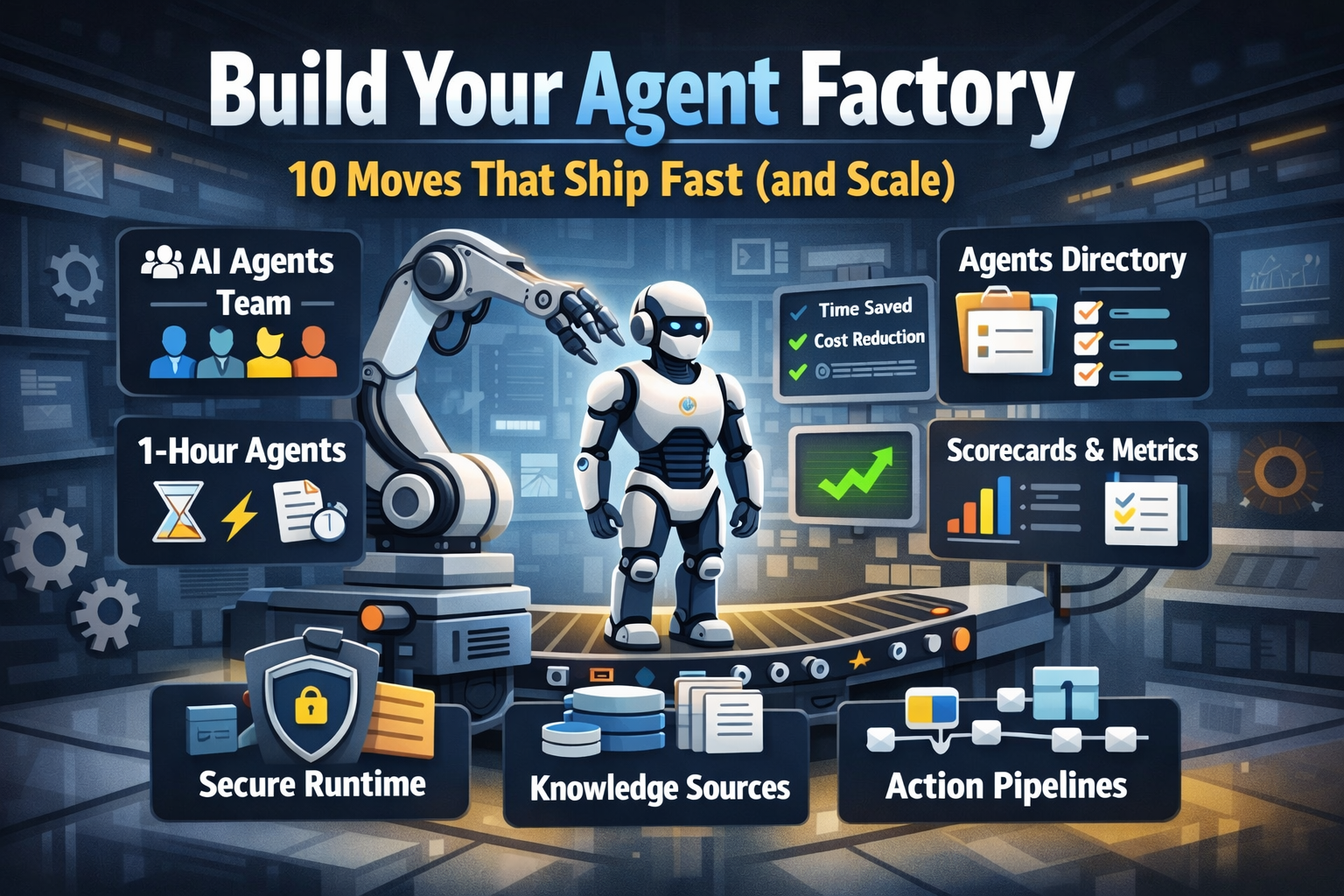
  • Build Your Agent Factory: 10 Moves That Ship Fast (and Scale)

    Build Your Agent Factory: 10 Moves That Ship Fast (and Scale)

    Build Your Agent Factory: 10 Moves That Ship Fast (and Scale)

    Agents at scale. Not POCs.

    Here’s the playbook I’d hand any exec or builder who wants working agents in production—without turning the org into a science fair.

    1) Stand up an AI Agents Workforce

    What it is: A small cross-functional crew with authority to hunt repetitive work and ship agents.

    Who’s in:

    • 1 product owner
    • 1 engineer (Copilot Studio/Power Automate)
    • 1 data person
    • 1 security/governance lead
    • 1 domain SME.

    Ship this week: Write a one-page charter with scope, decision rights, and a 30-day roadmap (first 5 agents + metrics).

    2) Win with horizontals first, then go vertical

    Horizontals (1-hour wins): drafting, summarizing, policy Q&A, meeting notes to actions, form-fill helpers.

    Verticals (outsized ROI): pick 1–2 per business unit where there’s money, risk, or SLA pain.

    Guardrail: don’t start with the hardest workflow; start where you can close the loop and measure value inside two weeks.

    3) Make an Agents Directory the front door

    Why: Ideas die in email. A directory turns “we should build X” into spec and governance.

    Minimum intake fields:

    • use case name
    • goal
    • users
    • decision rights
    • data sources + who owns it
    • tools
    • PII/sensitivity
    • KPIs
    • business owner
    • risk level
    • rollout plan.

    Outcome: Every request auto-generates a lightweight PRD (goal, inputs, outputs, metrics, guardrails) and a yes/no gate.

    4) Create the 1-Hour Agent template

    Template anatomy:

    Goal + success criteria Input schema (what the user provides) Tools (actions/connectors) and permissions Knowledge sources (files, sites, indexes) Safety rules (allowed/blocked actions, escalation) Evaluation set (10–20 test prompts with expected outcomes) Deploy script (Dev → Test → Prod)

    Rule: If a use case can’t fit this page, it’s not a 1-hour agent—park it for later.

    5) Tie every agent to a visible scorecard

    Metrics to publish: time saved, cost avoided, error rate, CO₂/efficiency (where relevant), user satisfaction.

    Simple formula: monthly users × average minutes saved × loaded cost = value.

    Make it public internally: green/red status, owner, last review, next improvement.

    6) Run on a secure, managed agent runtime

    Non-negotiables: identity passthrough, content safety, audit logs, tool call restrictions, data boundary controls, environment isolation.

    Practical tip: standardize a “sensitive sources” policy and block tools by default; allow case-by-case.

    7) Split the stack to move fast without breaking things

    Experience layer: Copilot Studio for UX, channels, and connectors.

    Agent runtime/orchestration: managed agent service for threads, tool calls, safety, and evaluations.

    Why it works: builders ship quickly at the edge; platform team keeps shared guardrails, monitoring, and upgrades stable.

    8) Mix knowledge + action (or you’ll stall)

    Knowledge: structured grounding (SharePoint/Fabric/Search), doc versioning, citations-on by default.

    Action: flows/Logic Apps, Graph, line-of-business APIs; always ship with a dry-run mode first.

    Design pattern: Answer → show sources → propose actions → execute on approval. When confidence is high and stakes are low, allow auto-execute.

    9) Keep humans in the loop—by design

    HITL patterns that work:

    Shadow mode (observe only) → suggest mode → execute with approval → auto-execute.

    Confidence thresholds where low confidence routes to a human. Escalation logic when guardrails trip or data is missing.

    UX rule: one click to approve, one click to undo.

    10) Plan to scale on day one

    Pipelines: Dev → Test → Prod with approvals and rollback.

    Evals: pre-ship test set per agent; weekly drift checks; quarterly red-team.

    Ops: central logging, cost dashboards, incident playbook.

    Program ritual: a quarterly “Agent Backlog Day” to harvest new ideas and retire underperformers.

    Starter Architecture (fast and boring)

    Experience: Copilot Studio (web, Teams, M365, chat, plugins)

    Actions: Power Automate/Logic Apps + custom APIs

    Knowledge: SharePoint/Fabric/AI Search with retrieval policies

    Runtime: managed agent service for tool orchestration, identity, safety

    Observability: evaluations, telemetry, and a simple agent scorecard per app

    Security: Entra ID RBAC, private endpoints, DLP, approval gates

    Prompts and policies that save you pain

    Prompt contract (keep it in the repo): role, goals, inputs, allowed tools, forbidden actions, decision rights, escalation, output format, citation rules.

    Data contract: what sources are permitted, freshness expectations, sensitivity tags.

    Failure modes: what the agent must do when unsure (ask for clarification, route to human, or stop).

    Anti-patterns I keep seeing

    • Starting with an “AI strategy deck” instead of shipping 3 agents.
    • Agents that answer but can’t act—users stop coming back.
    • No owner, no scorecard, no sunset date.
    • Canary-testing in production without a rollback plan.
    • Letting one giant use case block 20 small wins.

    Your first week mapped

    Day 1: Form the team and publish the charter.

    Day 2: Launch the Agents Directory (intake + PRD autogeneration).

    Day 3–4: Build two 1-hour agents (drafting + policy Q&A) with eval sets.

    Day 5: Ship to a pilot group with scorecards visible. Book the first backlog day.