Tag: AI Governance

  • GPT-5.6 Is Missing in Copilot Cowork? Turn On This Admin Setting

    GPT-5.6 Is Missing in Copilot Cowork? Turn On This Admin Setting

    GPT-5.6 is available in Copilot Cowork.

    But if you open the model picker and only see GPT 5.5, the problem may not be your Cowork license or the rollout.

    There is one Microsoft 365 admin setting you need to check first.

    OpenAI must be enabled as a Microsoft subprocessor before users can access the new OpenAI-operated models.

    Copilot Cowork model picker before GPT-5.6 models are enabled
    Before OpenAI is enabled as a Microsoft subprocessor, the Copilot Cowork model picker may show GPT 5.5 but not GPT 5.6 Sol or Terra.

    The hidden dependency behind GPT-5.6 in Cowork

    Microsoft now supports OpenAI-operated models in Microsoft 365 Copilot experiences. That is different from OpenAI models operated by Microsoft through Azure OpenAI.

    For GPT-5.6, Microsoft’s documentation is direct: if you want to use GPT-5.6, you need to enable OpenAI-operated models.

    That means the model picker is not the first place to troubleshoot. Start in the Microsoft 365 admin center.

    Where to enable OpenAI as a subprocessor

    You need to be a Global Administrator or AI Administrator to change this setting.

    Go to the Microsoft 365 admin center and follow these steps:

    1. Open Copilot.
    2. Select Settings.
    3. Select View all.
    4. Open AI providers operating as Microsoft subprocessors.
    Microsoft 365 admin center Copilot settings showing AI providers operating as Microsoft subprocessors
    In the Microsoft 365 admin center, go to Copilot > Settings > View all, then open AI providers operating as Microsoft subprocessors.

    Choose who gets access

    Expand OpenAI. From there, choose which users can access OpenAI-operated models:

    • All users
    • No users
    • Specific users and groups

    Then select Save.

    OpenAI subprocessor access settings in the Microsoft 365 admin center
    OpenAI is disabled by default in the current admin experience. Admins can enable it for everyone or scope access to specific users and security groups.

    For a pilot, I would start with Specific users and groups.

    This setting is applied at the provider level across supported Microsoft 365 Copilot and Copilot Studio experiences. Scoping it to a security group gives you a clean way to test the new models with a small group before expanding access.

    What users see after the setting is enabled

    After the setting is saved, go back to Copilot Cowork and open the model picker again.

    In my tenant, the new choices appeared as:

    • GPT 5.6 Sol — the most capable GPT-5.6 model for complex work.
    • GPT 5.6 Terra — the balanced GPT-5.6 model for high-volume work.
    Copilot Cowork model picker showing GPT 5.6 Sol and GPT 5.6 Terra
    After enabling OpenAI as a Microsoft subprocessor, GPT 5.6 Sol and GPT 5.6 Terra appear in the Copilot Cowork model picker.

    That is the before-and-after test.

    If GPT-5.6 is missing, check the provider setting before you spend time troubleshooting the user, the browser, or Cowork itself.

    The governance detail admins should not skip

    Enabling this setting is not just a feature toggle. It is a data-processing decision.

    Microsoft says OpenAI operates these models as a Microsoft subprocessor under contractual safeguards and appropriate technical and organizational measures. Microsoft Product Terms, the Microsoft Data Protection Addendum, and Enterprise Data Protection apply, subject to Microsoft’s documented exclusions.

    There are also two details worth reviewing with your governance team:

    • OpenAI-operated models are currently excluded from in-country processing commitments where those commitments apply.
    • They are not currently available in GCC, GCC High, DoD, or sovereign clouds.

    Do not turn this on just because the new model names look interesting. Decide who needs access, document the data-processing change, and start with a controlled group.

    One rollout date to pay attention to

    Microsoft says OpenAI-operated models are currently disabled for customers. Starting July 24, 2026, they will be enabled for all users in eligible commercial tenants unless an admin explicitly selects No users.

    That makes this a setting every Microsoft 365 Copilot admin should review, even if the organization is not ready to use GPT-5.6 yet.

    The question is no longer just, “How do I turn GPT-5.6 on?”

    It is also, “Who should get it, and what should our policy be before the default changes?”

    The practical rollout pattern

    • Confirm the Global Administrator or AI Administrator who owns the setting.
    • Review the OpenAI subprocessor terms and data-processing notes.
    • Create a security group for the first Cowork users.
    • Enable OpenAI for that group.
    • Confirm GPT 5.6 Sol and Terra appear in the Cowork model picker.
    • Test real work with a small group before expanding access.
    • Review the setting again before the July 24 default change.

    The technical step takes a minute.

    The admin decision behind it deserves more attention.

    If GPT-5.6 is missing in Copilot Cowork, start with the OpenAI subprocessor setting.

    Sources

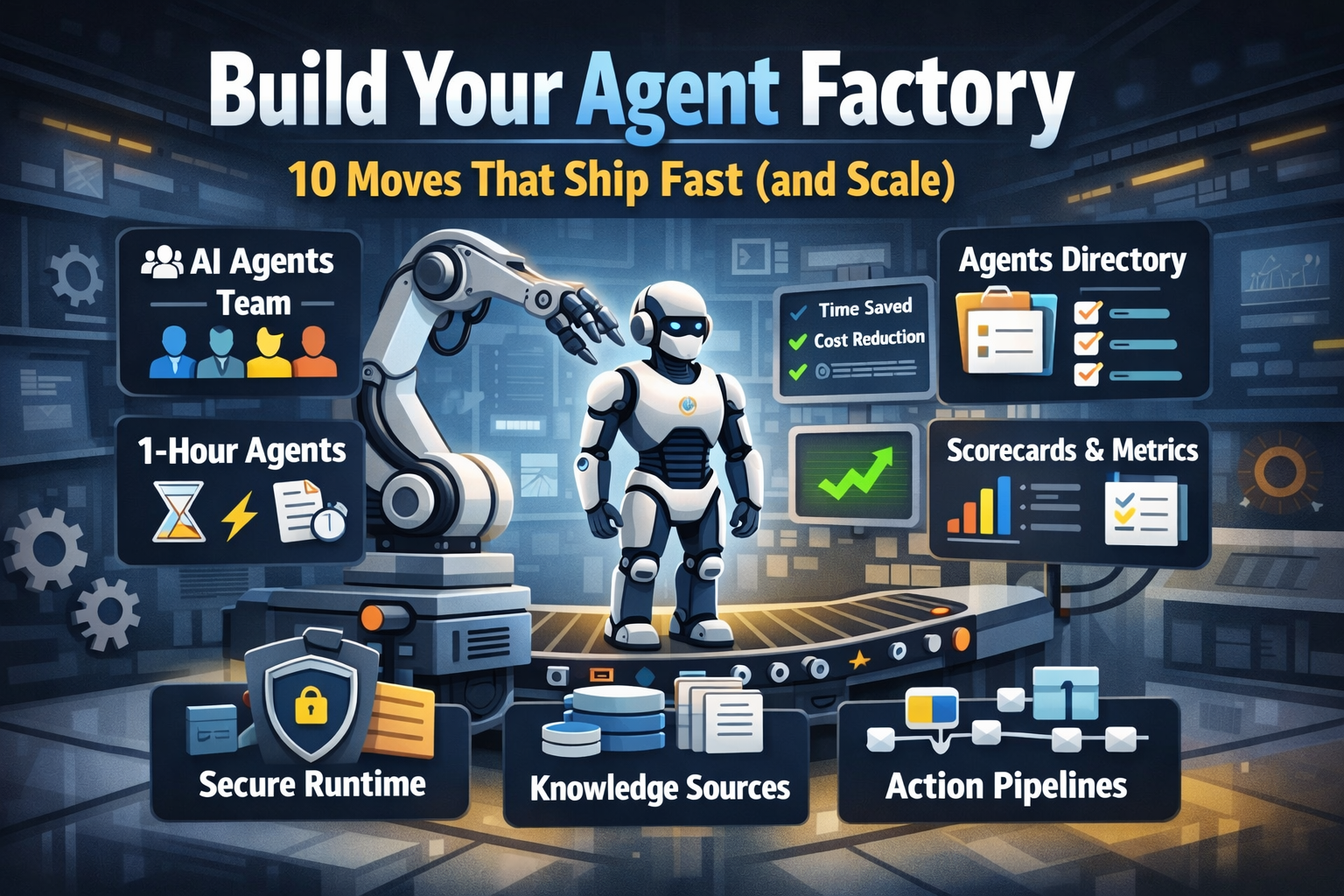
  • Build Your Agent Factory: 10 Moves That Ship Fast (and Scale)

    Build Your Agent Factory: 10 Moves That Ship Fast (and Scale)

    Build Your Agent Factory: 10 Moves That Ship Fast (and Scale)

    Agents at scale. Not POCs.

    Here’s the playbook I’d hand any exec or builder who wants working agents in production—without turning the org into a science fair.

    1) Stand up an AI Agents Workforce

    What it is: A small cross-functional crew with authority to hunt repetitive work and ship agents.

    Who’s in:

    • 1 product owner
    • 1 engineer (Copilot Studio/Power Automate)
    • 1 data person
    • 1 security/governance lead
    • 1 domain SME.

    Ship this week: Write a one-page charter with scope, decision rights, and a 30-day roadmap (first 5 agents + metrics).

    2) Win with horizontals first, then go vertical

    Horizontals (1-hour wins): drafting, summarizing, policy Q&A, meeting notes to actions, form-fill helpers.

    Verticals (outsized ROI): pick 1–2 per business unit where there’s money, risk, or SLA pain.

    Guardrail: don’t start with the hardest workflow; start where you can close the loop and measure value inside two weeks.

    3) Make an Agents Directory the front door

    Why: Ideas die in email. A directory turns “we should build X” into spec and governance.

    Minimum intake fields:

    • use case name
    • goal
    • users
    • decision rights
    • data sources + who owns it
    • tools
    • PII/sensitivity
    • KPIs
    • business owner
    • risk level
    • rollout plan.

    Outcome: Every request auto-generates a lightweight PRD (goal, inputs, outputs, metrics, guardrails) and a yes/no gate.

    4) Create the 1-Hour Agent template

    Template anatomy:

    Goal + success criteria Input schema (what the user provides) Tools (actions/connectors) and permissions Knowledge sources (files, sites, indexes) Safety rules (allowed/blocked actions, escalation) Evaluation set (10–20 test prompts with expected outcomes) Deploy script (Dev → Test → Prod)

    Rule: If a use case can’t fit this page, it’s not a 1-hour agent—park it for later.

    5) Tie every agent to a visible scorecard

    Metrics to publish: time saved, cost avoided, error rate, CO₂/efficiency (where relevant), user satisfaction.

    Simple formula: monthly users × average minutes saved × loaded cost = value.

    Make it public internally: green/red status, owner, last review, next improvement.

    6) Run on a secure, managed agent runtime

    Non-negotiables: identity passthrough, content safety, audit logs, tool call restrictions, data boundary controls, environment isolation.

    Practical tip: standardize a “sensitive sources” policy and block tools by default; allow case-by-case.

    7) Split the stack to move fast without breaking things

    Experience layer: Copilot Studio for UX, channels, and connectors.

    Agent runtime/orchestration: managed agent service for threads, tool calls, safety, and evaluations.

    Why it works: builders ship quickly at the edge; platform team keeps shared guardrails, monitoring, and upgrades stable.

    8) Mix knowledge + action (or you’ll stall)

    Knowledge: structured grounding (SharePoint/Fabric/Search), doc versioning, citations-on by default.

    Action: flows/Logic Apps, Graph, line-of-business APIs; always ship with a dry-run mode first.

    Design pattern: Answer → show sources → propose actions → execute on approval. When confidence is high and stakes are low, allow auto-execute.

    9) Keep humans in the loop—by design

    HITL patterns that work:

    Shadow mode (observe only) → suggest mode → execute with approval → auto-execute.

    Confidence thresholds where low confidence routes to a human. Escalation logic when guardrails trip or data is missing.

    UX rule: one click to approve, one click to undo.

    10) Plan to scale on day one

    Pipelines: Dev → Test → Prod with approvals and rollback.

    Evals: pre-ship test set per agent; weekly drift checks; quarterly red-team.

    Ops: central logging, cost dashboards, incident playbook.

    Program ritual: a quarterly “Agent Backlog Day” to harvest new ideas and retire underperformers.

    Starter Architecture (fast and boring)

    Experience: Copilot Studio (web, Teams, M365, chat, plugins)

    Actions: Power Automate/Logic Apps + custom APIs

    Knowledge: SharePoint/Fabric/AI Search with retrieval policies

    Runtime: managed agent service for tool orchestration, identity, safety

    Observability: evaluations, telemetry, and a simple agent scorecard per app

    Security: Entra ID RBAC, private endpoints, DLP, approval gates

    Prompts and policies that save you pain

    Prompt contract (keep it in the repo): role, goals, inputs, allowed tools, forbidden actions, decision rights, escalation, output format, citation rules.

    Data contract: what sources are permitted, freshness expectations, sensitivity tags.

    Failure modes: what the agent must do when unsure (ask for clarification, route to human, or stop).

    Anti-patterns I keep seeing

    • Starting with an “AI strategy deck” instead of shipping 3 agents.
    • Agents that answer but can’t act—users stop coming back.
    • No owner, no scorecard, no sunset date.
    • Canary-testing in production without a rollback plan.
    • Letting one giant use case block 20 small wins.

    Your first week mapped

    Day 1: Form the team and publish the charter.

    Day 2: Launch the Agents Directory (intake + PRD autogeneration).

    Day 3–4: Build two 1-hour agents (drafting + policy Q&A) with eval sets.

    Day 5: Ship to a pilot group with scorecards visible. Book the first backlog day.