Category: Flow
-

Check Conditions In Power Automate During Run
Is your IF condition always evaluating to False? Debugging and Testing your Flows should be easy. When using a Condition in Power Automate, in the run we cannot…
-

Checking If HTML Table Is Empty In Power Automate
I needed to check if an HTML table had data or not. Usually when I need to check I have two expressions I like to use: ’empty()’ or…
-

Getting Specific Files And IDs In SharePoint Using Power Automate
I encountered an issue when trying to filter a a file by filename, that was in a SharePoint document library. When needing to get a specific SharePoint file…
-

Converting Time Zones Easily In Power Automate
Did you know that Power Automate has a Date Time action that can easily convert, and format time zones in one action? Why is this important? Power Automate…
-
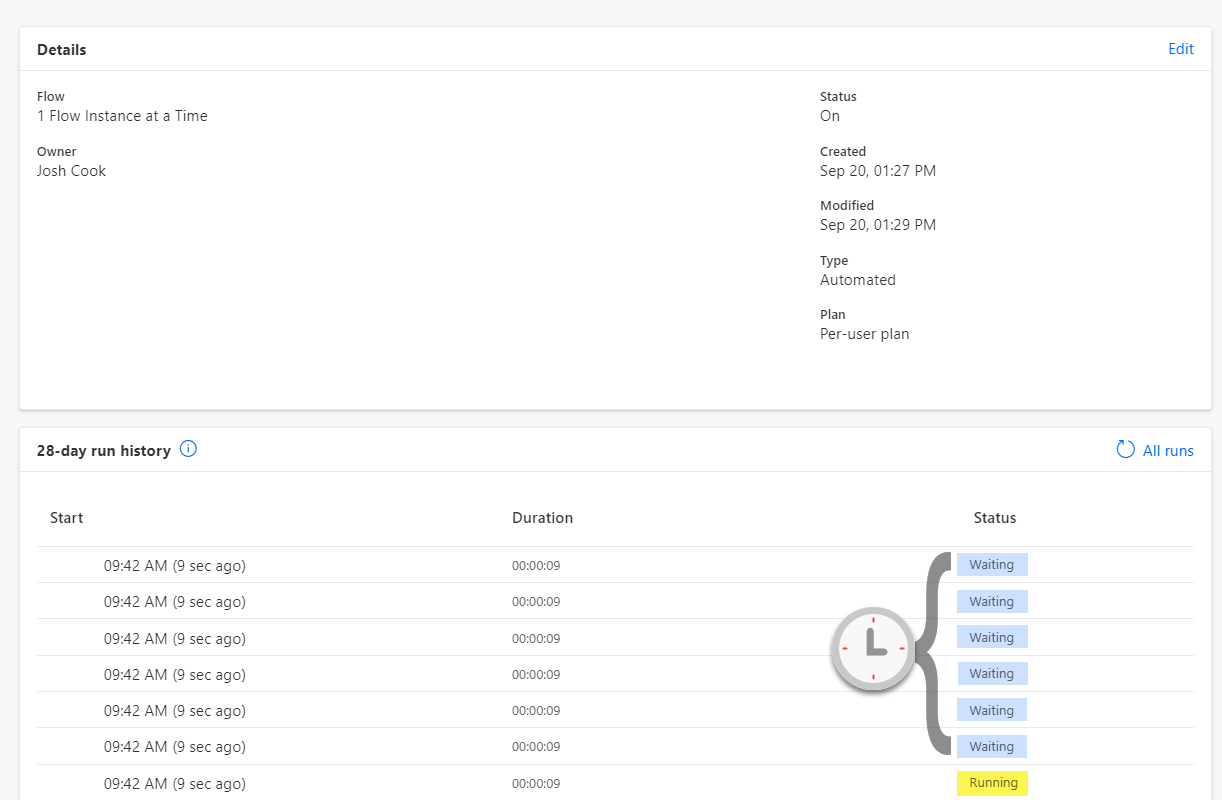
Power Automate – Limit Runs to Trigger One at a Time
Controlling when your Flow triggers can be crucial. By default Flows run in Parallel, this means multiple runs could be running at the same time, this is great…
-

Using Environment Variables as Parameters for Power Automate Deployments (ALM)
Deploying Power Automate Flows can be a headache if you have to manually change values inside the Flow for each environment. You also run the risk of missing…
-

Power Automate Integrated With Virus Total to Scan Files and Links
Remember Virus Total? Now you can integrate it with Power Automate to give real time URL and file analysis.
-

Power Automate Substring and Text Positions Made Easy
Expressions can be confusing when starting out in Power Automate. Luckily the product team makes things easier each day. I will be showing how to grab an email…
-

Power Automate – Format Phone Number Easy
Take a phone number like 4031234567 and turn it to (403)-123-4567 with one simple step!
